PrettyPlanette
A Free Week of PrettyPlanette
A Free Week of PrettyPlanette
Couldn't load pickup availability
Seven days of the real planner. Free, and no card needed.
You cannot tell from a screenshot whether a digital planner is actually good to use. So take a week of this one and find out.
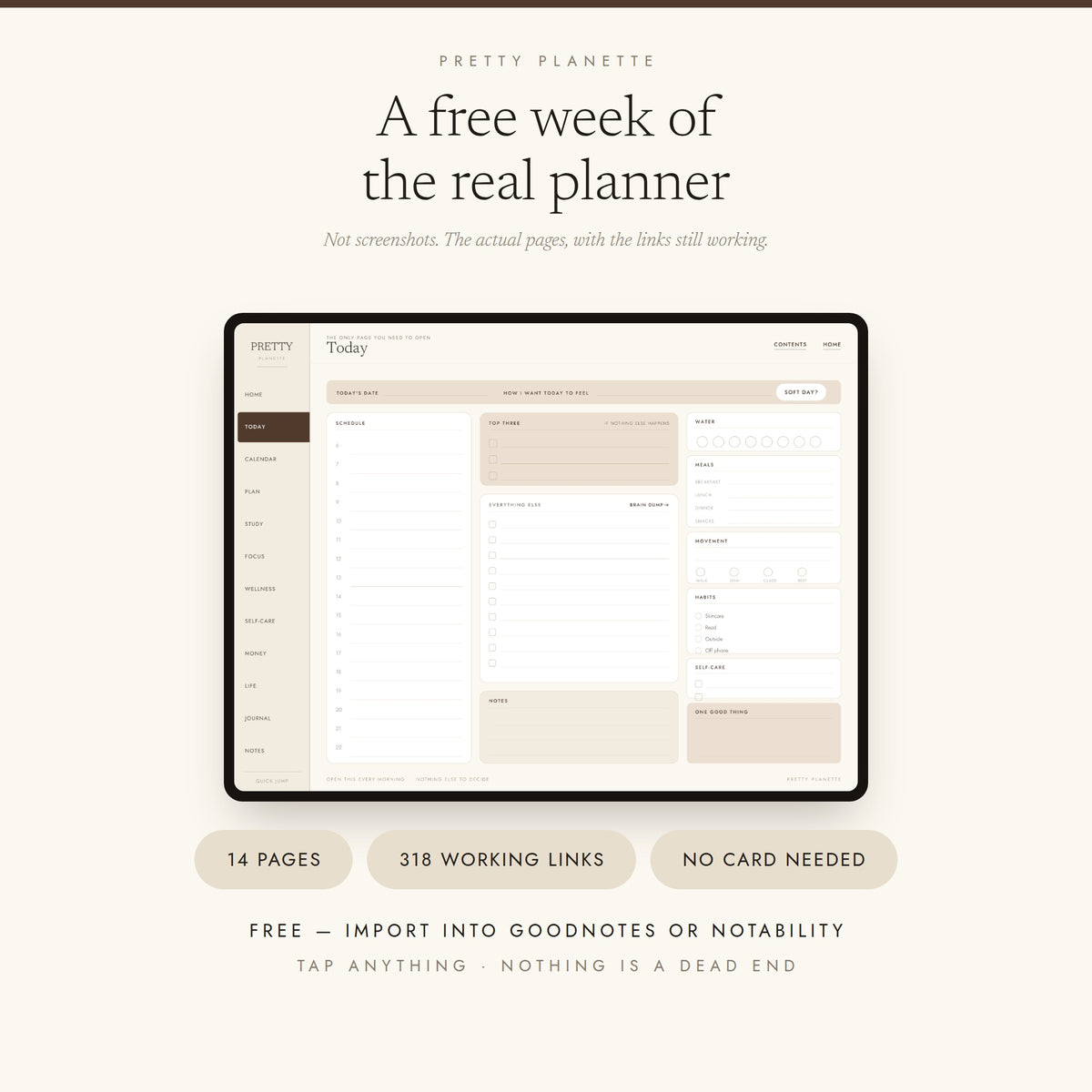
These are not pictures of the planner. They are the real pages, lifted straight out of the full edition — same design, same rail, same working links. Import it into Goodnotes or Notability and tap around.
What is in it
- The Today page — the one page you open every morning
- Weekly A and Weekly B — the two weekly layouts, one real week
- The Weekly Reset — ten minutes, four steps
- Six daily pages, Tuesday 29 September to Sunday 4 October
- A Daily Soft page, so you can feel the switch from a full day to a slow one
- The Bad Day page
Fourteen pages. 330 working links. Nothing in it dead-ends — tap something that lives outside the sample and it tells you where to find it.
What is not in it
Being straight with you, because a sample that pretends to be the whole thing helps nobody.
- No monthly or yearly calendars
- No student system — no timetable, module tracker, exam tracker or Deadline Control Centre
- No money, wellness, journal or life admin sections
- One colour theme, not six
- One week of dates, not a full academic year
The full planner is 1,216 pages and 37,220 links, September 2026 to August 2027. This is roughly half a percent of it.
How to open it
- Download it after checkout — there is nothing to pay, so checkout is just your email.
- Save it to your Files app.
- Open Goodnotes or Notability, tap +, choose Import.
- Make sure you are in edit mode, not read-only, or the links will not respond.
Built for iPad and Android tablets. A stylus is recommended, not required.
If anything does not work, email prettyplanette@gmail.com and I will help you — free customer or not.
Share